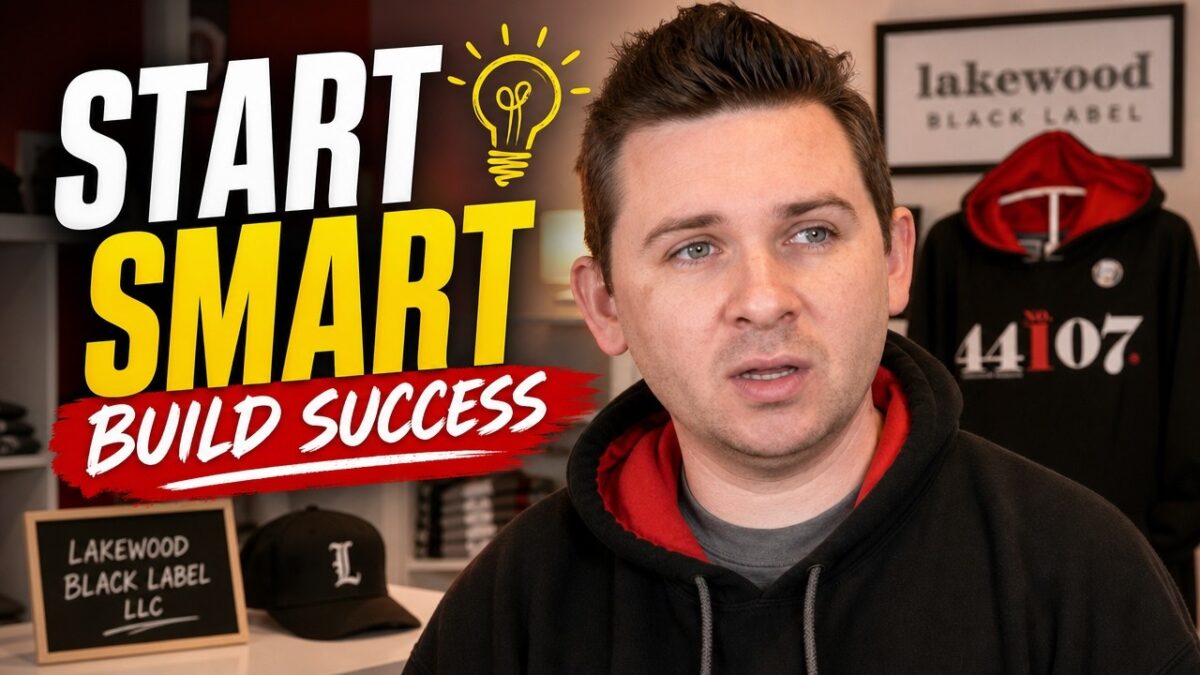
Patrick the owner of Lakewood Black Label appeal (located in Lakewood, Ohio) shares his 6 tips on starting a small business.
In this video, we meet a man who shares his journey with his side hustle, Lakewood Black Label, a business selling Lakewood-themed apparel. He provides valuable business tips, explaining why customers choose his brand and the quality of his products. This is a great look into how to launch a business and the passion behind a creative side hustle.
Channel description:
“I wish I would‘ve known that earlier!”? My channel tackles those “should’ve knowns” with topics ranging from buying a new TV, workplace fashion, leasing a car, and much more. This is an open forum where you can ask questions and hopefully learn from both my personal experiences and the experiences I’ve shared with the people in my circle. Be sure to check out my new videos, posted twice monthly – at the beginning and middle of each month!
I may earn a small commission for my endorsement, recommendation, testimonial, and/or link to any products or services from this website. As an Amazon Associate, I earn from qualifying purchases. Your purchase helps support content made for this channel.
Having trouble with the “door ajar” issue on your Ford F150? This car video offers a simple workaround to repair this common problem without removing the door itself. I’ll show you an easy fix to bypass the door security sensor and resolve the persistent alarm, getting your car repair done quickly.
01:07: Materials needed.
03:29: Disassembling the alarm system.
04:04: Extracting the magnetic sensor.
05:33: Preparing the wires.
06:31: Soldering wires to the sensor.
07:55: Securing the connections.
09:04: Identifying car wires.
14:10: Connecting to car wiring.
10:18: Grounding the circuit.
12:13: Preparing the magnets.
13:00: Positioning the magnets.
15:36: Testing the solution.
13:34: Locating door sensor wires.
Channel description:
“I wish I would‘ve known that earlier!”? My channel tackles those “should’ve knowns” with topics ranging from buying a new TV, workplace fashion, leasing a car, and much more. This is an open forum where you can ask questions and hopefully learn from both my personal experiences and the experiences I’ve shared with the people in my circle. Be sure to check out my new videos, posted twice monthly – at the beginning and middle of each month!
I may earn a small commission for my endorsement, recommendation, testimonial, and/or link to any products or services from this website. As an Amazon Associate, I earn from qualifying purchases. Your purchase helps support content made for this channel.
SEND ME MAIL AND STUFF
Hindsight 101
5801 Postal Rd 81689
Cleveland, OH 44181 Derrick@hindsight101.com
Disclaimer: Due to factors beyond the control of Hindsight 101, I cannot guarantee against improper use or unauthorized modifications of this information. Hindsight 101 assumes no liability for property damage or injury incurred as a result of any of the information contained in this video. Use this information at your own risk. Hindsight 101 recommends safe practices when working on machines and or with tools seen or implied in this video. Due to factors beyond the control of Hindsight 101, no information contained in this video shall create any expressed or implied warranty or guarantee of any particular result. Any injury, damage, or loss that may result from improper use of these tools, equipment, or from the information contained in this video is the sole responsibility of the user and not Hindsight 101.
Channel description:
“I wish I would‘ve known that earlier!”? My channel tackles those “should’ve knowns” with topics ranging from buying a new TV, workplace fashion, leasing a car, and much more. This is an open forum where you can ask questions and hopefully learn from both my personal experiences and the experiences I’ve shared with the people in my circle. Be sure to check out my new videos, posted twice monthly – at the beginning and middle of each month!
I may earn a small commission for my endorsement, recommendation, testimonial, and/or link to any products or services from this website. As an Amazon Associate, I earn from qualifying purchases. Your purchase helps support content made for this channel.
Disclaimer: Due to factors beyond the control of Hindsight 101, I cannot guarantee against improper use or unauthorized modifications of this information. Hindsight 101 assumes no liability for property damage or injury incurred as a result of any of the information contained in this video. Use this information at your own risk. Hindsight 101 recommends safe practices when working on machines and or with tools seen or implied in this video. Due to factors beyond the control of Hindsight 101, no information contained in this video shall create any expressed or implied warranty or guarantee of any particular result. Any injury, damage, or loss that may result from improper use of these tools, equipment, or from the information contained in this video is the sole responsibility of the user and not Hindsight 101.
This is Part 2 of my chamberlain garage door opener setup. In this video I will show you how to setup the control panel and the wifi features for the mobile app.
#GarageDoorOpener #ChamberlainInstall #Chamberlain
00:00 – Intro
00:10 – Needed tools
00:19 – Running garage door opener control panel wire
01:42 – Chamberlain garage door opener control panel install
03:22 – Chamberlain garage door opener control panel wifi setup
05:27 – Chamberlain mobile app setup for garage control panel
Channel description:
“I wish I would‘ve known that earlier!”? My channel tackles those “should’ve knowns” with topics ranging from buying a new TV, workplace fashion, leasing a car, and much more. This is an open forum where you can ask questions and hopefully learn from both my personal experiences and the experiences I’ve shared with the people in my circle. Be sure to check out my new videos, posted twice monthly – at the beginning and middle of each month!
I may earn a small commission for my endorsement, recommendation, testimonial, and/or link to any products or services from this website. As an Amazon Associate, I earn from qualifying purchases. Your purchase helps support content made for this channel.
SEND ME MAIL AND STUFF
Hindsight 101
5801 Postal Rd 81689
Cleveland, OH 44181 Derrick@hindsight101.com
This video will show you how to assemble and install a Chamberlain B970 garage door opener. The setup is mostly the same for all Chamberlain models except for a few features. This video will help with the initial set up. There will be follow up videos to come on how to install and program the control panel and setup the mobile app. #Chamberlain #ChamberlainGarageDoorOpener
Video Timestamps
00:05: Introduction and Model Identification
00:27: Initial Equipment Overview
01:11: Tools Needed
01:38: Assembling the Rail
02:31: Attaching the End Piece
03:30: Attaching Hardware to the Base Unit
03:50: Sliding Piece and Screwdriver Insertion
04:20: Installing the Belt
05:05: Securing the Belt with a Metal Tab
06:07: Connecting the Belt Ends
07:57: Tightening the Belt
08:48: Installing the Cover
09:15: Installing the Bracket to the Ceiling
10:53: Installing the Pull String
11:55: Adjusting Belt Slack
12:09: Installing Safety Sensors
13:17: Wiring the Safety Sensors
14:37: Aligning the Safety Sensor Beams
14:55: Adjusting Open and Close Limits
15:37: Installing the Backup Battery
16:37: Installing the Wireless Wall Unit
17:18: Programming the Wireless Panel
17:42: Conclusion and Next Steps
Channel description:
“I wish I would‘ve known that earlier!”? My channel tackles those “should’ve knowns” with topics ranging from buying a new TV, workplace fashion, leasing a car, and much more. This is an open forum where you can ask questions and hopefully learn from both my personal experiences and the experiences I’ve shared with the people in my circle. Be sure to check out my new videos, posted twice monthly – at the beginning and middle of each month!
I may earn a small commission for my endorsement, recommendation, testimonial, and/or link to any products or services from this website. As an Amazon Associate, I earn from qualifying purchases. Your purchase helps support content made for this channel.
SEND ME MAIL AND STUFF
Hindsight 101
5801 Postal Rd 81689
Cleveland, OH 44181 Derrick@hindsight101.com
Disclaimer: Due to factors beyond the control of Hindsight 101, I cannot guarantee against improper use or unauthorized modifications of this information. Hindsight 101 assumes no liability for property damage or injury incurred as a result of any of the information contained in this video. Use this information at your own risk. Hindsight 101 recommends safe practices when working on machines and or with tools seen or implied in this video. Due to factors beyond the control of Hindsight 101, no information contained in this video shall create any expressed or implied warranty or guarantee of any particular result. Any injury, damage, or loss that may result from improper use of these tools, equipment, or from the information contained in this video is the sole responsibility of the user and not Hindsight 101.
I’m going to cover some of the things you can do with that keypad. In this video I show you how to do some basic task. An overview of how to use the keypad to open your doors and trunk, lock the vehicle, and program or reset your own key code If you do a google search for your specific vehicle, many of the Ford vehicles have the code hidden in the car usually behind a panel. But if you are still unsure on how to get your original code the dealership can always get it for you. #ford
If you have a newer model Ford, you can retrieve the code to display on the dashboard display:
1. You will need 2 keys for this to work
2. Insert one of the keys in the ignition
3. Turn the key to the “on” position, do not turn the engine on, wait about 4 seconds
4. Take out the first key and insert the second and repeat steps
5. Your factory code will show up on the dash screen display
Channel description:
“I wish I would‘ve known that earlier!”? My channel tackles those “should’ve knowns” with topics ranging from buying a new TV, workplace fashion, leasing a car, and much more. This is an open forum where you can ask questions and hopefully learn from both my personal experiences and the experiences I’ve shared with the people in my circle. Be sure to check out my new videos, posted twice monthly – at the beginning and middle of each month!
I may earn a small commission for my endorsement, recommendation, testimonial, and/or link to any products or services from this website. As an Amazon Associate, I earn from qualifying purchases. Your purchase helps support content made for this channel.
I’ll show you how to make and crimp your own ethernet cable. You can use this method to repair, replace, or fix an existing cable. This can be used to make a cat 6 or cat 5e cable.
Channel description:
“I wish I would‘ve known that earlier!”? My channel tackles those “should’ve knowns” with topics ranging from buying a new TV, workplace fashion, leasing a car, and much more. This is an open forum where you can ask questions and hopefully learn from both my personal experiences and the experiences I’ve shared with the people in my circle. Be sure to check out my new videos, posted twice monthly – at the beginning and middle of each month!
I may earn a small commission for my endorsement, recommendation, testimonial, and/or link to any products or services from this website. As an Amazon Associate, I earn from qualifying purchases. Your purchase helps support content made for this channel.
If you have a leaky faucet you probably have a bad cartridge. In this video I will walk you through step by step on how to replace a Moen 1224 cartridge for a dual handle faucet. #Moen
Channel description:
“I wish I would‘ve known that earlier!”? My channel tackles those “should’ve knowns” with topics ranging from buying a new TV, workplace fashion, leasing a car, and much more. This is an open forum where you can ask questions and hopefully learn from both my personal experiences and the experiences I’ve shared with the people in my circle. Be sure to check out my new videos, posted twice monthly – at the beginning and middle of each month!
I may earn a small commission for my endorsement, recommendation, testimonial, and/or link to any products or services from this website. As an Amazon Associate, I earn from qualifying purchases. Your purchase helps support content made for this channel.
SEND ME MAIL AND STUFF
Hindsight 101
5801 Postal Rd 81689
Cleveland, OH 44181 Derrick@hindsight101.com
Disclaimer: Due to factors beyond the control of Hindsight 101, I cannot guarantee against improper use or unauthorized modifications of this information. Hindsight 101 assumes no liability for property damage or injury incurred as a result of any of the information contained in this video. Use this information at your own risk. Hindsight 101 recommends safe practices when working on machines and or with tools seen or implied in this video. Due to factors beyond the control of Hindsight 101, no information contained in this video shall create any expressed or implied warranty or guarantee of any particular result. Any injury, damage, or loss that may result from improper use of these tools, equipment, or from the information contained in this video is the sole responsibility of the user and not Hindsight 101.
I’ll show you the first steps you should take when getting a new PC. The best thing you can do for a new PC is to remove all those unwatned apps better known as bloatware. #newpc
Channel description:
“I wish I would‘ve known that earlier!”? My channel tackles those “should’ve knowns” with topics ranging from buying a new TV, workplace fashion, leasing a car, and much more. This is an open forum where you can ask questions and hopefully learn from both my personal experiences and the experiences I’ve shared with the people in my circle. Be sure to check out my new videos, posted twice monthly – at the beginning and middle of each month!
I may earn a small commission for my endorsement, recommendation, testimonial, and/or link to any products or services from this website. As an Amazon Associate, I earn from qualifying purchases. Your purchase helps support content made for this channel.
UPDATE 6/8/18 – Some people are still experiencing issues after applying this method. Google is implementing another update on 6/13/18, once that is completed I will do a follow up on what you can do to fix your issues. #obi
This is an update to a previous video “Google Voice and Obi error FIXED”. The is a free option compared to my other video where a small fee had to be paid. If you are having trouble with your Obi 100/110 connecting, then check out this video. DISCLAIMER – this is a third party firmware use at your own risk.
Channel description:
Ever say to yourself “I wish I would have known that earlier”. Well my site tackles that question, from experiences I’ve gained in everyday life. Things such as buying a TV, fashion for the workplace, leasing a car and much more. This is an open forum where you can ask questions and hopefully learn from my experiences and from my closest colleagues.
I may earn a small commission for my endorsement, recommendation, testimonial, and/or link to any products or services from this website. As an Amazon Associate, I earn from qualifying purchases. Your purchase helps support content made for this channel.